
01
Motorized positioning
Electrically controlled articulation moves the workstation through its working positions with deliberate, supported motion.
Engineering & specifications
Prone Workstation brings motorized movement, stable body support, and purpose-built computer interfaces into one carefully integrated platform.
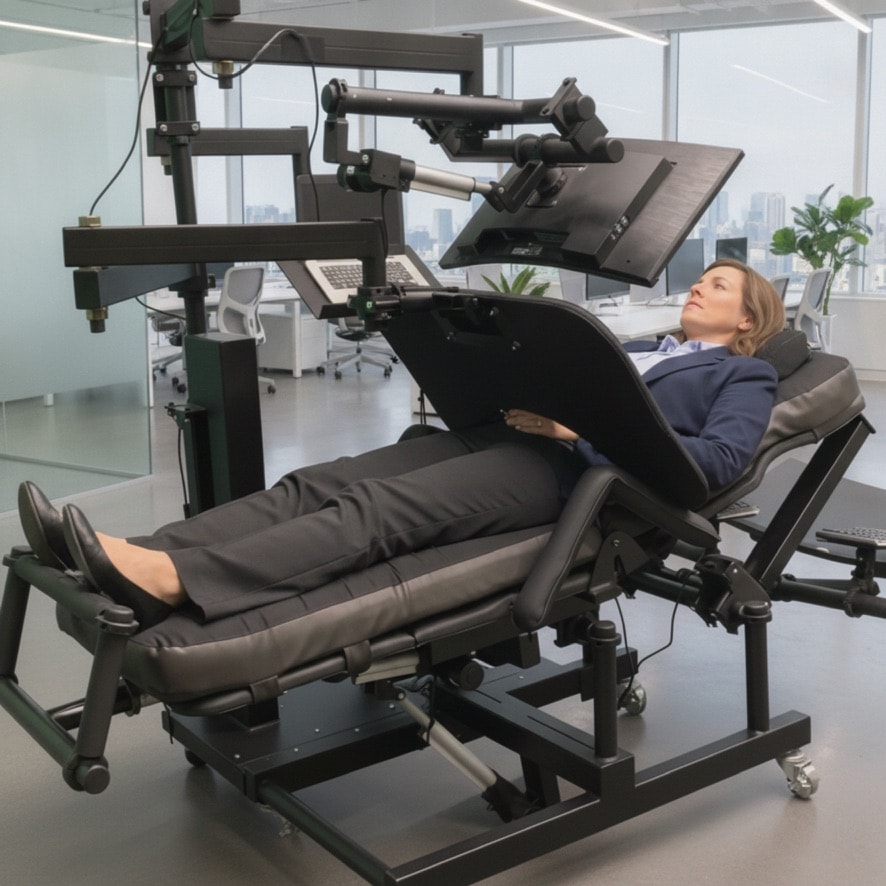
Integrated by design
Every surface and adjustment is designed to support a usable computer-work environment across prone, reclined, supine, flat, and zero-gravity positions.
01
Electrically controlled articulation moves the workstation through its working positions with deliberate, supported motion.
02
Dedicated placements for monitor, keyboard, mouse, computer hardware, and accessories keep essential tools in reach.
03
Segmented support surfaces and a dedicated head opening make the prone working position practical and considered.
04
A robust frame provides the stable base required for focused computer work and repeatable positioning.
Specification framework
Prone Workstation configurations are discussed to suit your working environment and intended computer setup. Exact dimensions, finishes, accessories, and delivery requirements are confirmed as part of that process.
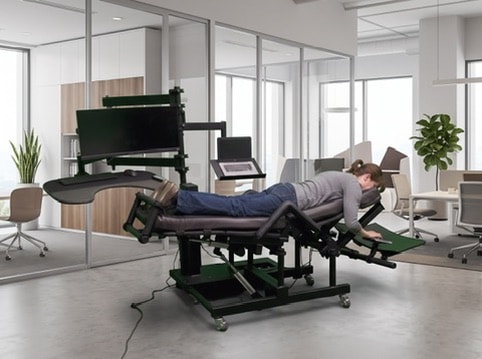
Configured around the work
The workstation can be discussed around the screens, input devices, accessories, and spatial considerations that define your day-to-day setup.
Monitor integration is considered as part of the working position, not added after the fact.
Keyboard and mouse surfaces support practical interaction in the position you select.
Computer placement and accessory-ready configuration keep the system coherent.
Talk with ErgoQuest
Request a conversation about dimensions, integrations, available options, delivery, and support for your intended workspace.
Request information